Humblodt Siskiyou
IdeaFormer IR3 V2 FDM 3D Printer Auto Leveling Core XY Stable Structure Infinite Z-Axis Steel Conveyor Belt With Extended Tray
IdeaFormer IR3 V2 FDM 3D Printer Auto Leveling Core XY Stable Structure Infinite Z-Axis Steel Conveyor Belt With Extended Tray
Couldn't load pickup availability
SPECIFICATIONS
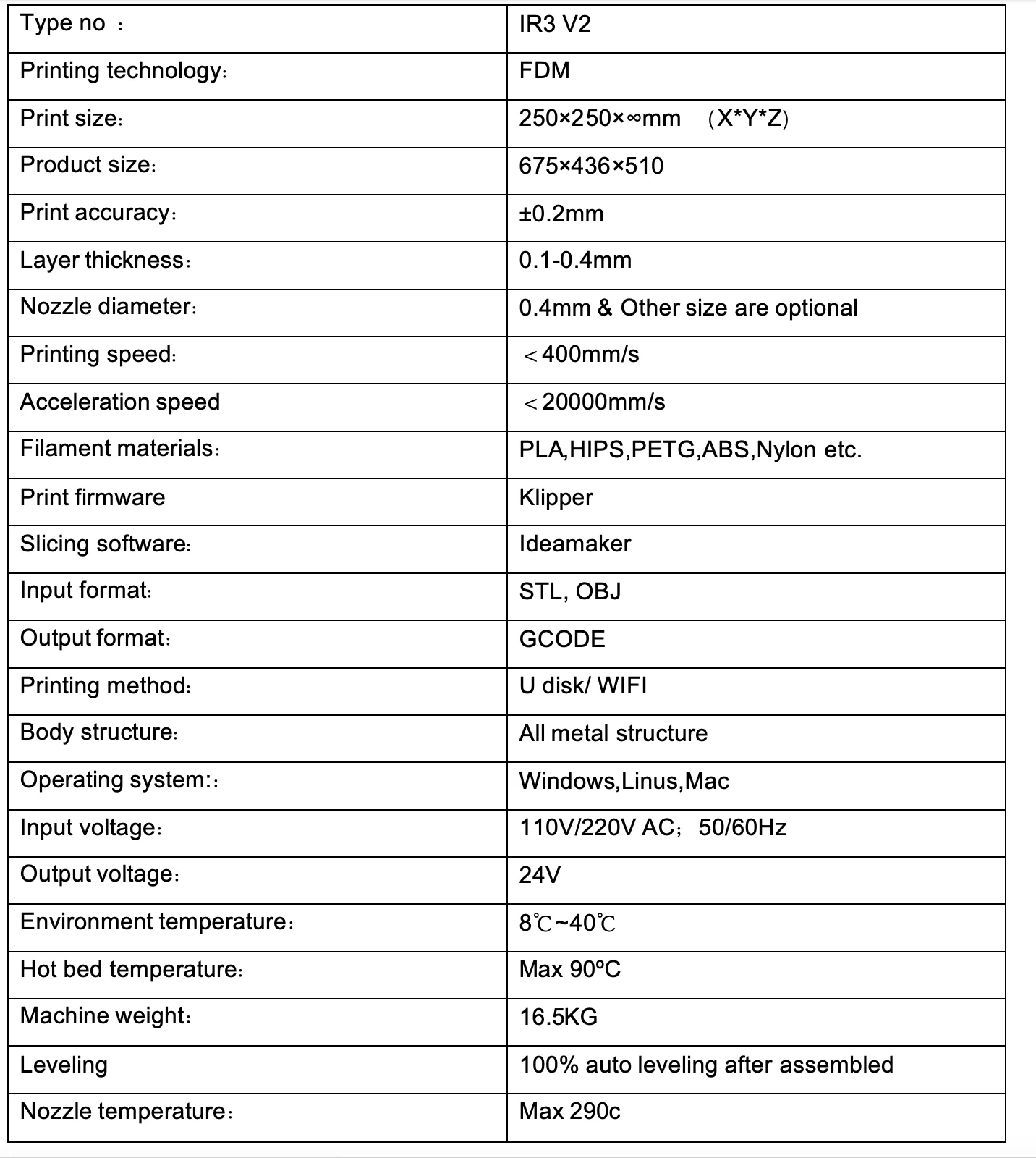
Acceleration speed: <20000mm/s
Auto Leveling: Yes
Bed Temp: 90°
Body structure: All metal structure
Brand Name: IdeaFormer
CE Certification: Yes
Consumables Diameter: 1.75mm
Fliament: PLA,HIPS,PETG,ABS,Nylon etc.
High-concerned chemical: None
IDEAFORMER Model: IR3 V2
Input format: STL, OBJ
Interface Type: SD
Language: EN
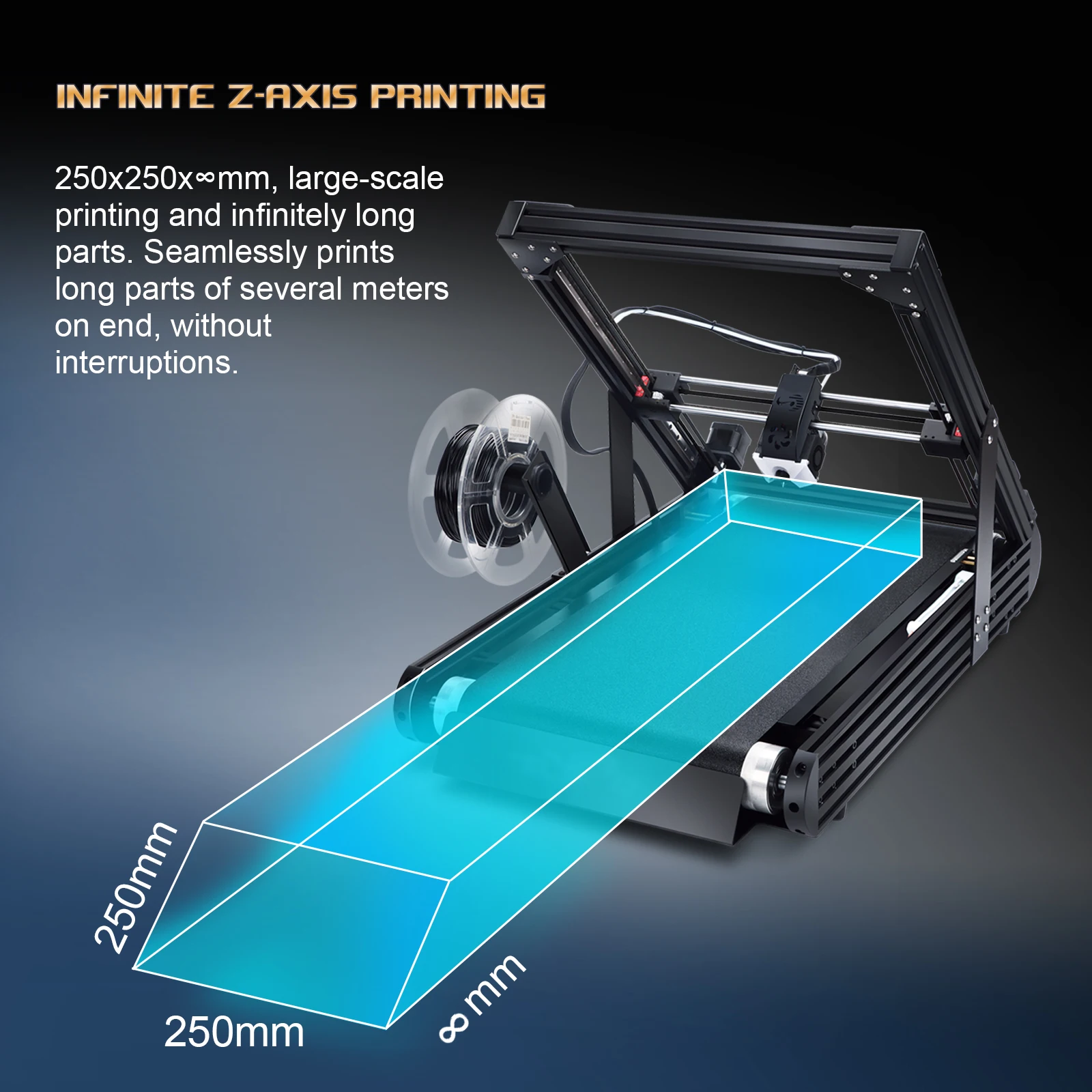
Maximum Print Size: 250*250*unlimited mm
Maximum Printing Speed: 400mm/s
Molding Technology: FDM
Nozzle Diameter: 0.4mm & Other size are optional
Operating System: Windows,Linus,Mac
Origin: Mainland China
Output format: GCODE
Power Supply: 110V/220V AC
Precision: ±0.2mm
Print firmware: Klipper
Printing method: U disk/ WIFI
Product size: 675x436x510
Slice Software: ldeamaker
Slice Thickness: 0.1-0.4mm
Voltage: 110-220V
Wireless Connectivity: Wi-Fi

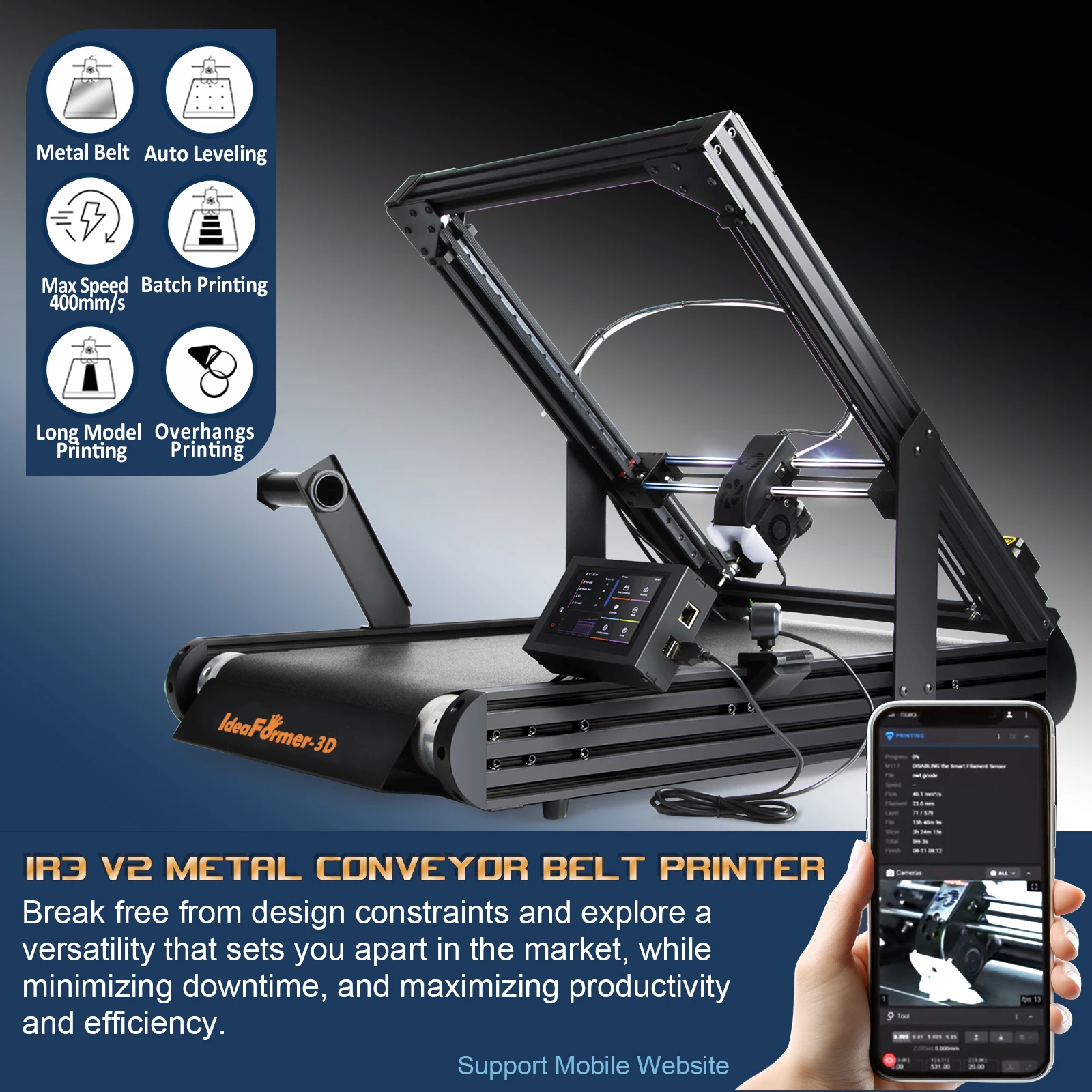
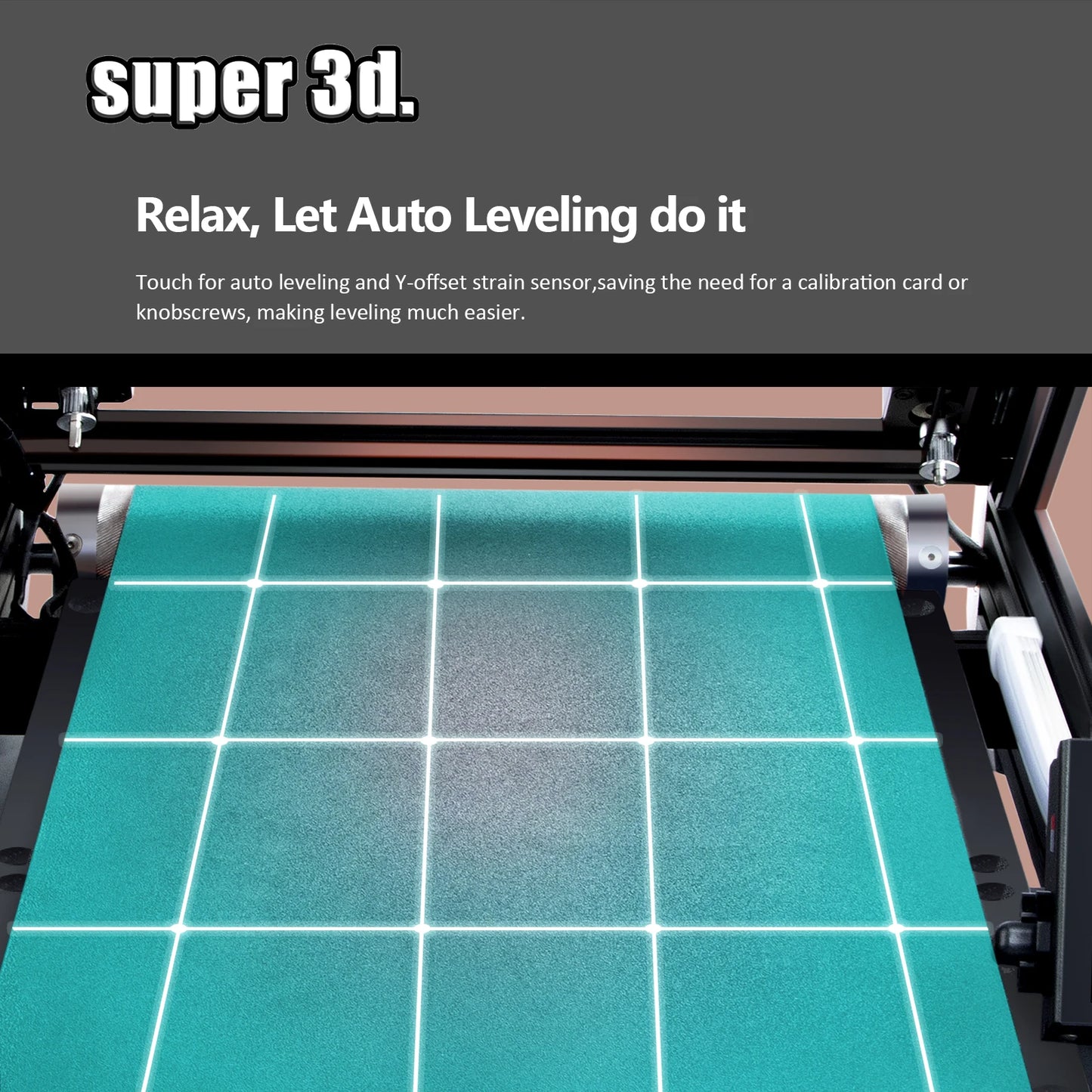
1,100% auto leveling by machine after assembled. Print head with senser , it will detect the distance with the bed platfrom , and matched with the slice setting Y offset -0.1 to -0.2mm , then it will sticker well on the belt .
2, Metal conveyor belt , mainly coated with PEI . Printing area is warm , it is good for sticker models on, and it is strong hardness, High models on it will not shaking. Detach model area is cold , it is easy to sepreate the model from the conveyor belt .
3, Klipper firmware(Fully Open Source)/Fast printing . Pring speed is over 400 + mm/s , Powered by the open-source Klipper system klipper firmware and designed the xy axis move very smooth, z axis is powerful with gearbox and we put it inside the roller.
4, Lost step detect . while printing a model , there have many reasons cause a layer shift/lost step . such as x y z axis moving wrong (dust or something on the moving system by a mistake ); models didn’t sticker well , expecially for this 45 degree printing , each layer need touched the belt ( filament temperature setting wrong, or the models is too complicated and didn’t added support correctly ); print speed too fast , etc . while lost step happened , it may cause the print head hitting the edge of the printer or scratch the belt , with this detect function , printer will stop print while these situation happened . so it can protect the print head and the conveyor belt . then you need check the reason for this lost step .
5.Enclosure box . for print high temperature filament , such as abs nylon etc. keep the model not warp up and crack .
6,Extend roll . for print long model, keep the print side sticker well , and keep the model not bent.
7, Wifi and Camera . It can be remote control by phone or computer, if filament enough , you can keep it wokring for long time even you are not behind the printer.
8, Led light , you can check the status at mid night .
9, Filament inputting detect , if filament didn't keep going over 12mm , printer will pause printing . Then you need check if there was something wrong with filament or clog the nozzle , or the filament run out . after reload the filament , it can continue to printing.
10,Easy assembly and Stable printing . base on auto leveling , it sticker very well, metal belt keep models no shaking , all main electronic parts design by ourself, and we use the good conponets on heater , thermister ,fans , power supplier etc . After 6 month testing and adjustment, printing is quite stable now. (print a great model need with a correct slice setting).